
Discord Ops & Attendance
Assign roles, track attendance, and move groups into voice channels in one click.
What it is, who it is for, and what you get.
What it is
Discord automation for attendance, roles, and fast crew coordination.
Who it is for
Ops leads, marshals, and staff who manage drivers and crew flow.
What you get
- Attendance tracking
- Auto role assignment
- One-click VC moves
Discord ops panel
Move the crew fast
Assign roles, track attendance, and move groups to dedicated channels.
- Role assignment shortcuts
- Attendance log
- Group moves to VC
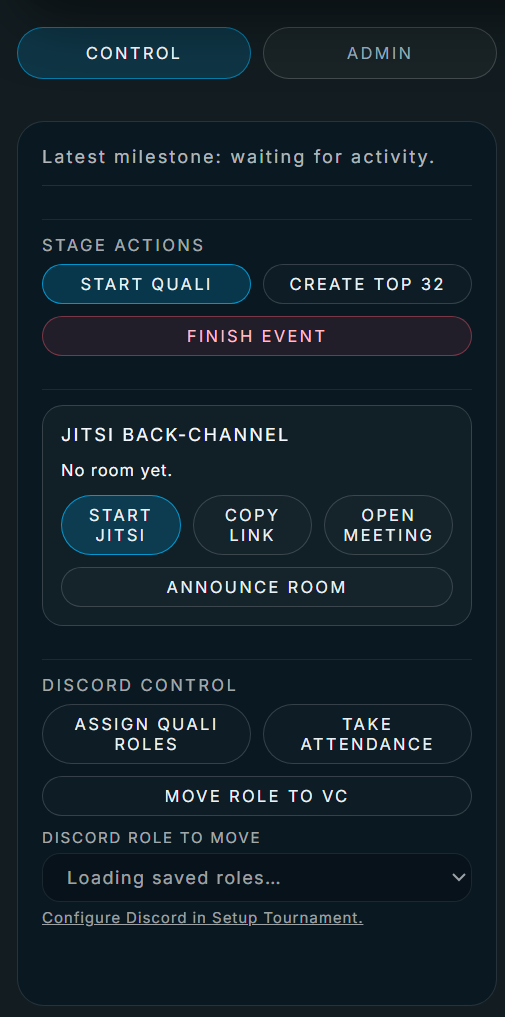
Track who is present, ready, and checked in.
Attendance status
Know who is on deck and who is ready to run.
Driver progress
Move drivers through practice, qualifying, and battles smoothly.
Assign roles and move groups instantly.
Auto role assignment
Give drivers, judges, and commentators the right roles instantly.
One-click moves
Move a group into a voice channel without manual drag and drop.
Ready to automate Discord ops?
Keep drivers and staff moving with one-click actions.
How much does it cost?
Single Event is $24.95, Championship Series (5 events) is $99.95, and Enterprise is custom.
Do we need Discord roles configured?
Yes. Set role IDs in config to enable quick role assignments.
Can we move a whole group to voice chat?
Yes. One click moves a group into the selected voice channel.
Does this track attendance?
Yes. Attendance and readiness are logged as drivers and staff join.
Can drivers use Discord to get updates?
Yes. Roles and channels help keep drivers synced to event progress.
Is Discord required?
No. It is optional, but it speeds up crew coordination.